Your subscription
Subscribe, restore, change, or cancel your Warrenet™ subscription.
What you’re paying for
Your subscription covers the Warrenet apps on your iPhone, iPad, and Mac, and setting up and managing your servers. It’s sold through the App Store and billed by Apple. There’s no free trial.
Your cloud provider bills you separately for your server. Warrenet doesn’t see or change that bill. See current plans and prices.
Subscribe
- Open Settings (a tab on iPhone and iPad, in the sidebar on Mac) and choose Subscription. You can also choose Subscribe where the app asks for it, near Connect or Deploy VPN Server.
- Choose Monthly or Annual.
- Choose Subscribe and confirm in the App Store’s sheet.
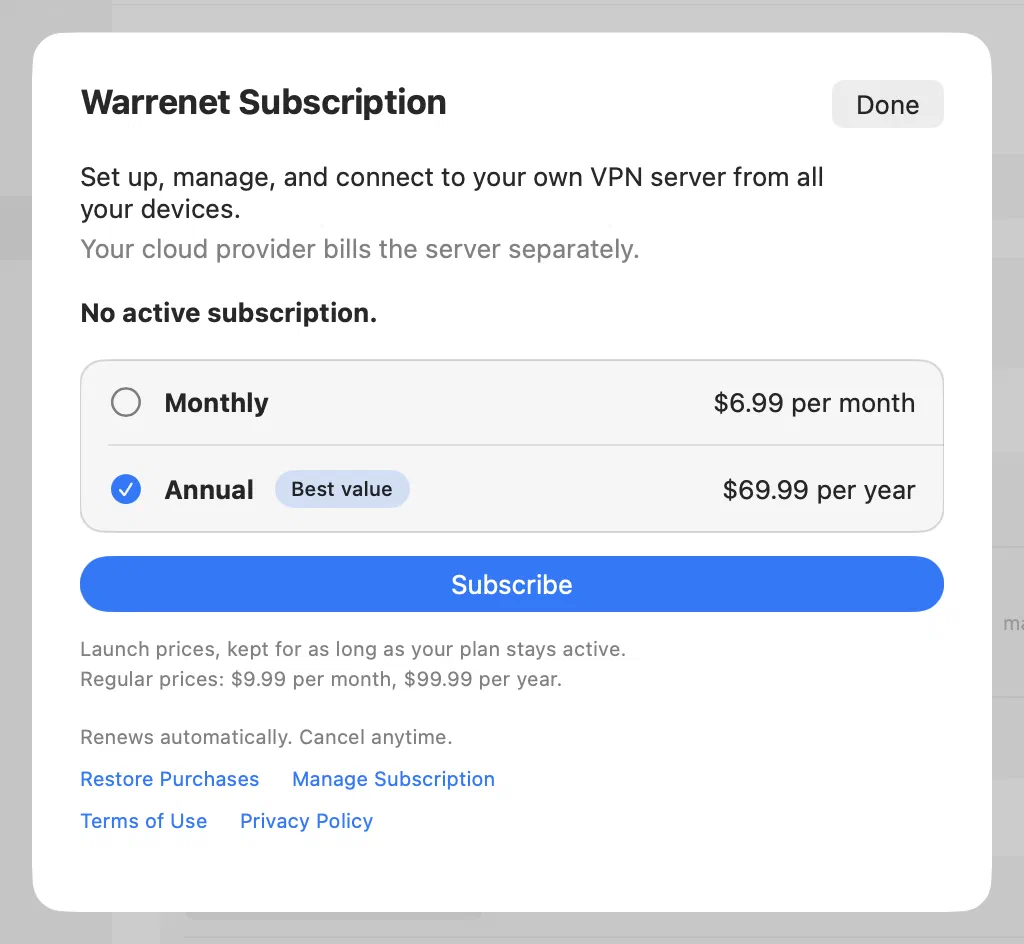
The plan renews automatically until you cancel it.
Use it on a new device
One subscription covers all your devices that use the same Apple Account. If a device doesn’t find it:
- Open Settings and choose Subscription.
- Choose Restore Purchases.
Change or cancel your plan
- Open Settings and choose Subscription.
- Choose Manage Subscription. On iPhone and iPad this opens Apple’s subscription screen. On a Mac it opens your subscriptions in the App Store.
- Change your plan or cancel.
You can also manage it in your Apple Account’s subscription settings. Cancel at least 24 hours before the current period ends to stop the next renewal.
If you have launch pricing
If you subscribed during the launch period, you keep the launch price while your subscription stays active. If it expires, you keep the launch price by subscribing again to the same plan within 60 days. After the launch period, you pay the regular price if you subscribe again later than that, or if you switch between Monthly and Annual.
When a subscription ends
Cancelling stops future renewals. Your subscription keeps working until the end of the period you paid for.
After that:
- You can’t connect or create new servers, and a VPN that’s still on stops shortly after the subscription ends.
- You can still sign in to your cloud providers, see your servers and their estimated costs, stop and delete servers, and export them.
- Warrenet doesn’t change your servers, rules, or settings.
Your provider keeps billing you for your servers. Cancelling Warrenet doesn’t delete them. If you’re done with a server, delete it. Subscribe again at any time to pick up where you left off.
If the VPN stops after a renewal
The VPN goes by the end date Warrenet last saw. If your plan renewed but you haven’t opened Warrenet since before the old end date, the VPN can stop shortly after that date. Open Warrenet. It checks your subscription and reconnects.
If there’s a billing problem
If Apple can’t renew your subscription, Subscription in Settings shows Billing problem, and the subscription sheet shows the date your access ends. Update your payment method in the App Store before that date to keep access.
Refunds
Apple handles refunds. Request one at reportaproblem.apple.com.
Need more help? Contact support.